 Mubarik
1. Your trusted person
A separate family profile, linked to your account.
Family mode · Optional. Always.
Give a parent, sibling or wali their own login. They suggest profiles and share an opinion. You decide who to get to know.
See how it worksWith or without family support, you’re welcome here.

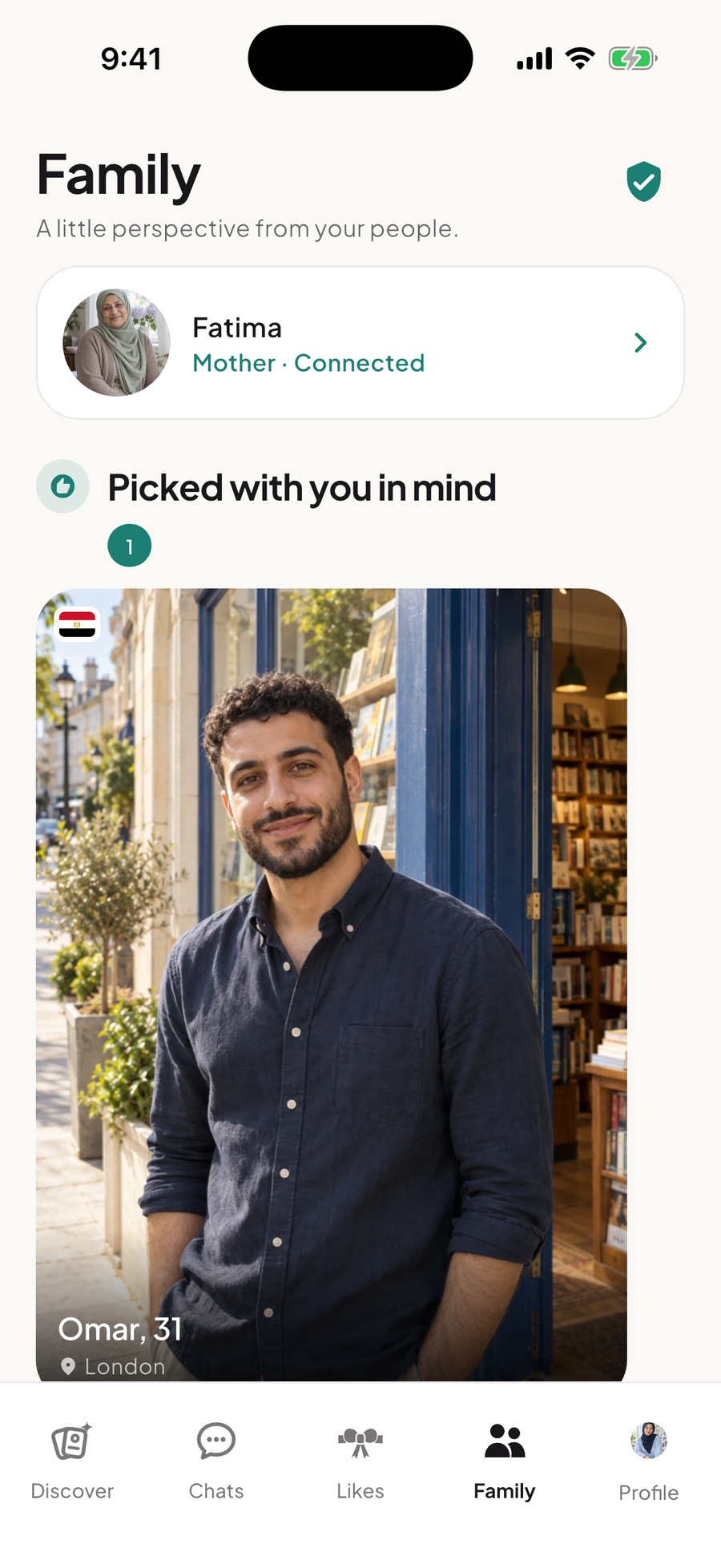
Real app screen · demo accounts
Good taste runs in the family.
One invite code links your separate accounts. They explore and suggest. You choose who to like, match and get to know.
See the actual workflow
A separate family profile, linked to your account.
See their suggestions and their opinions on profiles in your Likes. The next step stays yours.
Private and Family have separate spaces inside your chat.
Actual app screens with fictional demo accounts and AI-generated profile photos.
Support, with boundaries
Link one trusted person when you choose. In settings, control whether they see who you like and who likes you. You can unlink the account at any time.
You set the boundaries
Choose each setting separately. Try the examples here.
Your family can see who you like. Who likes you stays private.
Interactive explanation · change your actual settings in the appA simple introduction
One invitation. Their own login. A meaningful place for a parent or wali in your search for a spouse.
Find your code in the Family tab and share it with the person you’d like beside you.
They join with their own login and use your code to link to you.
See their picks, choose your sharing settings, and move forward at your pace.
Some journeys are better with your people.
Get Mubarik and invite someone into your corner.
Family mode is optional · Free to join